


Float Pro support

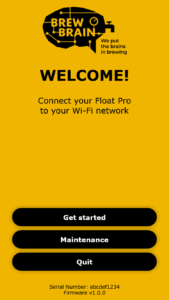
Firmware interface:
For questions regarding My Brewbrain Platform, please go to My Brewbrain FAQ
First, put Float Pro on it’s lid, then lay it with it’s flat side down on a table.
Float Pro also turns off automatically when charging.
Put Float Pro into SETUP mode. With a mobile device, connect to your Float Pro’s Wi-Fi access point. An interface will appear, choose “Change Wi-Fi” and follow the on-screen instructions.
Please read the “I see a red light” section in the manual (available for download above)
Float Pro connects only to 2.4 GHz networks.
Use different Wi-Fi network names (SSID) for 2.4 GHz & 5 GHz networks
The following settings often cause issues:
Float Pro measures gravity in SG and temperature in °C. You can choose to have the measurements displayed in other units on the My Brewbrain platform. To do this, go to your user settings on the My Brewbrain platform.
Amongst the options are °P, °Oe, Brix, Baumé, KMW/Babo, °F, K.
You can buy Float Pro directly from us. Or ask your local brew shop!