





Brewing your own beer can be very rewarding. In the first place because of the product, you create, but what might matter just as much: for the skill, knowledge, and creativity you put into it. The process starts by selecting ingredients and heating them in a controlled manner to extract all the sugars (mashing). After cooling down, fermentation begins by adding yeast. When fermentation has finished, you can add hops (dry hopping) or other ingredients to further develop the flavor. Finally, you bottle your brew and wait for it to reach its final form (lagering). Along the way, there’s a lot of cleaning and monitoring involved, to ensure that your beer shines the way you intended it.
Measuring sugar concentration is a key indicator of how your fermentation is progressing. During fermentation, sugars are primarily converted into alcohol and CO2. Th CO2 escapes from the liquid and causes the density to decrease. By tracking the sugar concentration, you can see how far along the fermentation is. It’s hard to determine sugar concentration accurately because of all the other components in the wort. Instead, the density of the wort/beer can be measured, as this is mainly influenced by the changes in sugar concentration. Brewers often use the term “Specific Gravity” (SG), which is the density of the wort compared to the density of water. Alternatively, the wort can be measured optically; the refractive index changes as the sugar concentration changes. This measurement is often expressed in degrees Brix (°Br) or degrees Plato (°P). Although measurement principles are not the same, SG can be converted to °Br or °P and vice versa to give the brewer an indication of how fermentation is progressing. There are additional measurands used for tracking fermentation and on our My Brewbrain platform, you can choose your preferred display unit. So wherever you read SG in this blog, you can substitute it with your preferred measurand.
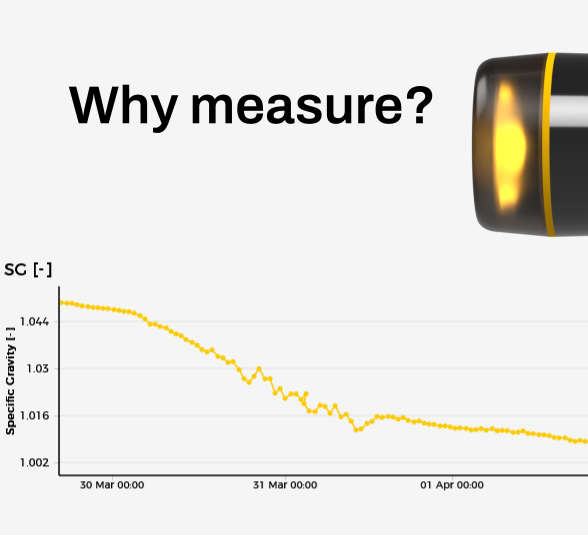
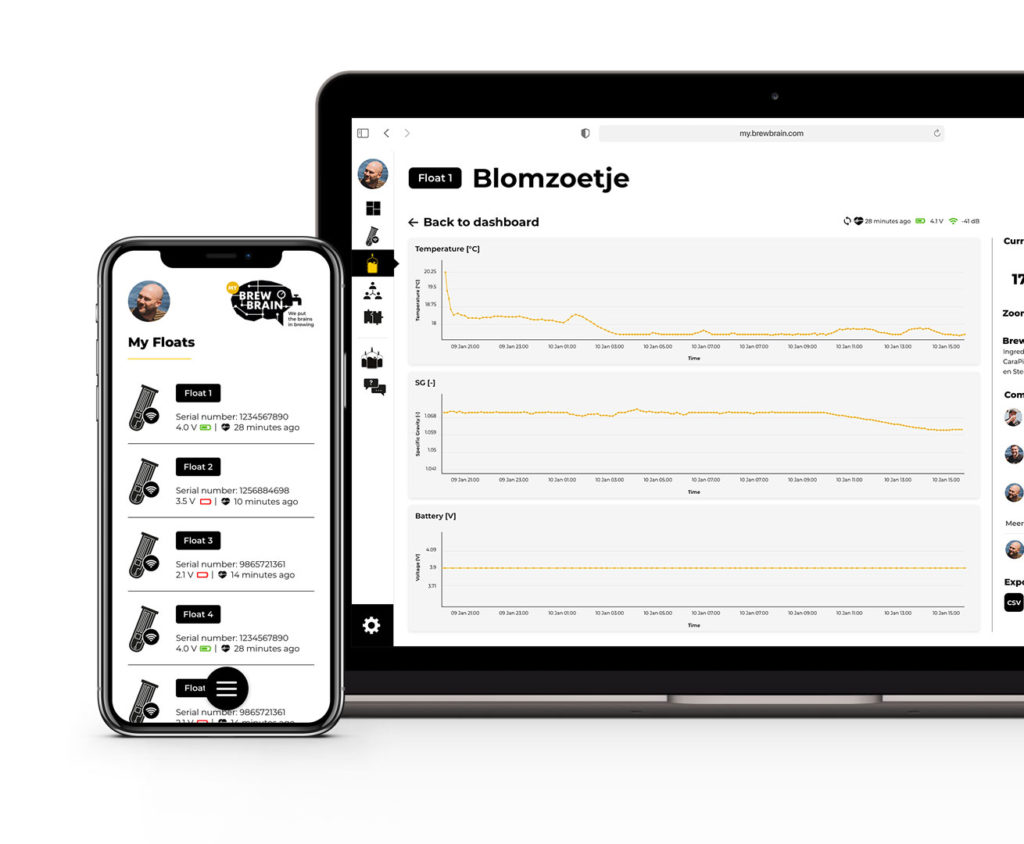
Traditionally, you would take a sample of your fermentation every now and then and measure the Specific Gravity of that sample with a glass hydrometer. Working hygienically, you would discard (after tasting it of course 😊) the sample; by sampling often you reduce the amount of finished product. But with few samples you only see a small part of the journey your brew is on. With the Float Pro you can monitor your brew remotely in our free My Brewbrain platform. The Float Pro automatically measures SG and temperature every 15 minutes so you can follow your brew in real-time. By measuring SG continuously instead of taking only a few samples, you can follow the performance of your yeast and act when needed. And when your brew is finished you can review the measurements to improve your next brew.


The image above is from an actual brew from the My Brewbrain platform. This brew was based on a recipe for a Weizen beer. My Brewbrain shows real-time fermentation data as gathered by your digital hydrometer.
Let’s first go through the phases of a typical beer fermentation. I’ve laid them out on top of the graph to help visualize them:

Ideally, everything goes well with your brew. You’ve checked regularly and went to bed comfortably, knowing your beer is going to end up just fine! In this case you can use the fermentation graph from your brew as a reference for the next time you make a (similar) brew. If you use an off-the-shelf ingredient kit or a recipe made by someone else, you will likely be advised what starting SG and final SG to look for. Check the start and final specific gravity and compare them to what you expect from your fermentation. If all is well, you can follow the next step in your recipe’s instructions (dry hopping, bottling etc.).

But if something goes wrong during fermentation, you want to act quickly. Here are some examples of issues that you can detect during primary fermentation, when using a Float Pro. The examples won’t cover everything, but hopefully they will help you interpret the data in your graph.

Specific gravity should start dropping after 1-2 days. If this is not the case, you might still be able to save your brew. Typical causes and actions:

The specific gravity seems to stabilize well above the expected final value. Typical causes and actions:

Hold your horses! The specific gravity is going down way too fast. This is likely accompanied by a strong temperature rise. Typical causes and actions:
Every brew is different. Even when using the same ingredients and amounts thereof, there are other factors that will influence the process. If you check the graphs on My Brewbrain often, you will start noticing subtle differences between each brew. The Float Pro digital hydrometer is your visual aid during fermentation.
Track your fermentation with the free My Brewbrain platform. You can even share your brews with your friends. Compare brews and learn from each other! We brewers love to share our knowledge.
This post should give you an idea of how you can look at your fermentation graph. Keep checking our blog as we will write more about what you can learn from your fermentation data.
We love to stay in contact with our brewers so feel free to comment on this blog. Or reach out to us via email at support@brewbrain.nl. We’re there to provide support and are always welcoming your ideas on what to improve next.
Have fun fermenting!
Cheers🍻
Eric Stricker
(Founder/Engineer)


Our journey that became Brewbrain with its digital hydrometers, started in 2017, in the evenings after work. We wanted to combine our love for measuring and creating sensors with brewing beer. I personally love how nature and technology can contrast with each other and at the same time work together in harmony. Brewing is a creative process and, just like making music, you must feel the result you are creating. With that in mind, we set out to improve the brewing process by making products that give more control and insight into what you are doing.
We had worked out quite a few measuring principles for tracking the specific gravity of a brew. Do you remember the beerbug? Or PLAATO’s Airlock? We also had this idea back in the day, but it didn’t feel like the best path to take. We were working on a principle that calculated the density from flotation angle and then stumbled upon the iSpindel where this was already done. We assembled a few and quickly thought “brewers want to spend time brewing, not DIY-ing brewing equipment”. Not only was soldering messy, calibration was difficult and often inaccurate and on top of it all you needed to set up your own logging environment. And that is why we created Float: a digital hydrometer that works out of the box with no hassle for the user.

We believed that the Float would make a difference in the brewing scene and took a leap of faith and became a startup. Back then there were four of us, each with a love for engineering and of course: beer. It has been an amazing journey and boy did we learn a lot. Sadly, we have had to part ways with Steve and Bart, but Thijs and I are dedicated to showing the world what our designs have to offer. We have grown a lot and are committed to creating durable products that last. We care for the environment and are grateful for our customers, which is why we do our best to make sure a device keeps working and repair it when possible. We value transparency and will back up the claims we make, so that you can trust the product that you are using.
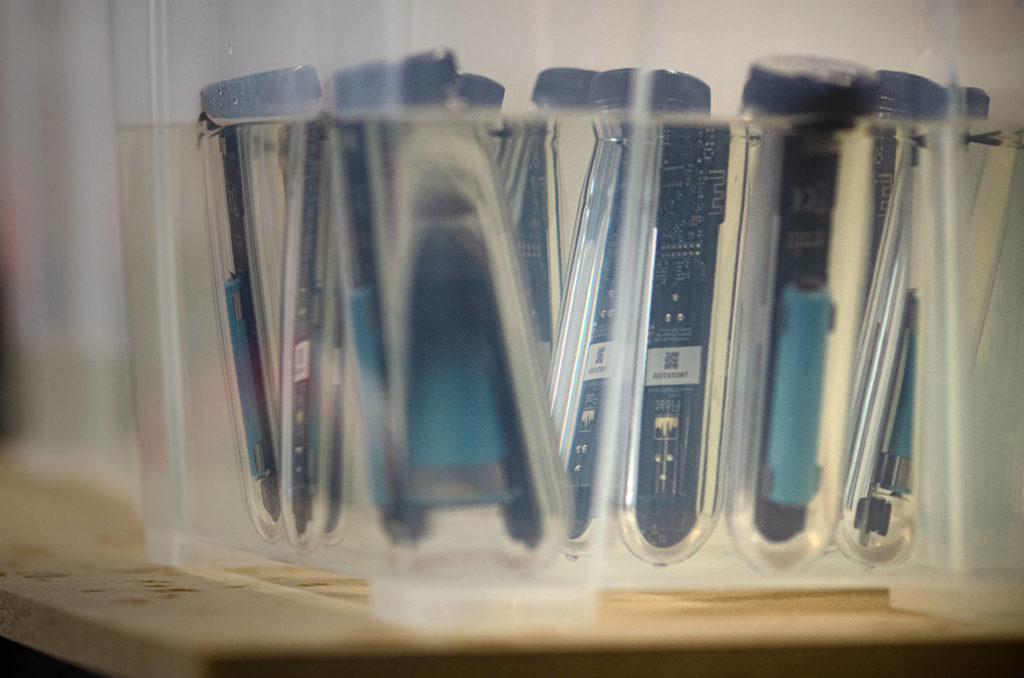
The Float digital hydrometer was released in 2020 and we have learnt a lot from our brewers. And so the time was right to create a new version that performs even better and is usable by the pros. Being the nerds that we are, we poured our heart and soul into the design. We wanted to pack wireless charging in there and make the design as smooth as a good beer going down your throat. We felt that when using a digital device with no screen, you need more feedback on what’s going on, so we included a neat multi-color lid that lets the Float tell you if everything is going like it should. We had developed a custom simulation that models at which angle the device Floats, so that we could optimize the weight and center of gravity to get more accurate readings. The housing is sealed by a seamless ring that stays in place due to its unique design. No hassle when (un)tightening the lid and you can trust the seal to do its job when fermenting under pressure.
There’s so much more I would like to tell you about the development of this digital hydrometer, so I will, in the upcoming blog posts. Follow our blog for deep dives into all the aspects of the design. We will also be telling you how to get the most out of your Float Pro and we will announce all the updates that we will be giving for the device and our online platform my.brewbrain.nl.
We love to stay in contact with our brewers so feel free to comment on this blog. Or reach out to us via support@brewbrain.nl. We’re there for support and are always welcoming your ideas on what to improve next.
Last but not least: The best wishes for 2026🎉. Make this an awesome year and your beers even better!🍻
Cheers🍻
Eric Stricker
(Co-owner)


You’ve been using the first Float for quite some time now and you know exactly how to use it to get the best out of your fermentation. But there’s always room for improvement.
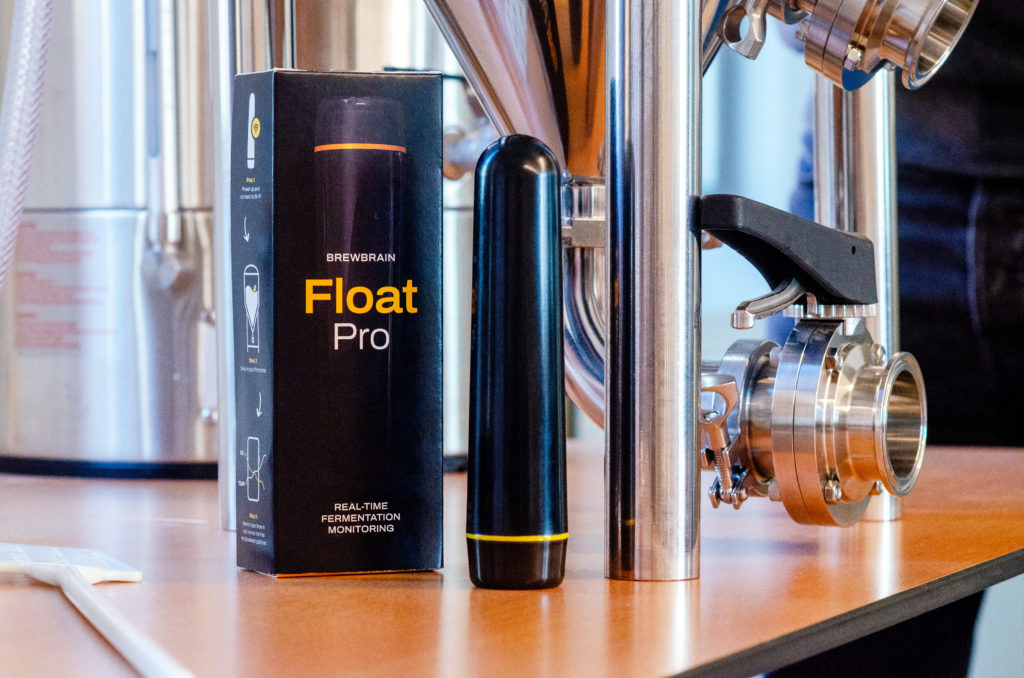
We’ve learned a lot from the Float, we’ve used your feedback to create the Float Pro! We’ve optimized for ease of use, so you can brew like a PRO.

Clear color signals, which enable you to tell battery and Wi-Fi status easily!

Surface is smooth all over leaving no room for dirt.
| Key point | Float | Float Pro |
| Ease of setup | Stable | Faster |
| Charging | USB micro | Wireless and USB-C |
| Battery indicator | Indirect | Instant |
| Time troubleshooting | Moderate | Minimal |
If the Float still meets your standard, there is no need to change!
But if you’re ready to switch to a hassle-free, time-saving version so that you can focus on what’s important, the Float Pro is your next upgrade.
People that have used both the Float and the Float Pro experienced:
We want your upgrade to be worthwhile, and if the Float Pro doesn’t deliver clear value within 30 days, you can return the product and get your money back.
The Brewbrain Float and Brewbrain Float Pro are both wireless digital hydrometers that measure fermentation gravity and temperature, but the Float Pro is a redesigned and more advanced version.
The Float Pro adds several new features compared to the original Float:
1. Smooth, easy-to-clean design
The Float Pro has a completely smooth exterior with no gaps or edges, making it much easier to clean and sanitize between brews.
2. Wireless charging
Instead of using a cable, the Float Pro also supports convenient wireless charging.
3. Multi-color LED feedback
The Float Pro includes multi-color lighting that provides visual feedback for status, activity, and connectivity.
4. Higher build quality – pressure fermenting
The Float Pro uses upgraded materials and construction, resulting in a more robust and premium device. The device can even be used for fermenting under pressure.
5. Longer battery life
Thanks to improved electronics and power management, the Float Pro operates longer between charges.
In short, the Float Pro keeps the core functionality of the Float—continuous fermentation monitoring—but improves usability, durability, and charging convenience.
Yes. The Brewbrain Float Pro can connect to Brewfather through the My Brewbrain platform.
The Float Pro automatically sends fermentation data—such as gravity and temperature—to the My Brewbrain platform, which can then share this data directly with Brewfather. This allows you to monitor your fermentation progress inside your Brewfather brewing dashboard.
In addition to Brewfather, the Float Pro also integrates with other brewing platforms, including Grainfather and several third-party brewing tools.
All integrations are available free of charge, so you can connect your Float Pro to your preferred brewing software without any additional subscription fees.
Yes. The Brewbrain Float Pro is designed with a high-quality housing and customized seal. This ensures a watertight housing even when fermenting under pressure, making it suitable for modern brewing setups.
The Float Pro operates reliably during pressure fermentation up to +2 bar, while continuing to measure and transmit fermentation data such as gravity and temperature.
The Brewbrain Float Pro measures specific gravity with an accuracy of approximately ±0.006 SG.
While this level of accuracy is suitable for fermentation monitoring, the real strength of the Float Pro is continuous measurement throughout the entire fermentation process. Instead of taking a single manual reading like a traditional hydrometer, the Float Pro automatically records many measurements over time.
This allows brewers to see relative changes in gravity, which is extremely useful for:
Tracking fermentation progress
Determining when fermentation has finished
Detecting issues such as yeast not starting or a stalled fermentation
In practice, the Float Pro provides a clear fermentation curve, giving you much more insight into your brew than occasional manual measurements.